
US daylight saving time ended on 1 November 2026 in areas that observe it, as NIST's calendar confirms. For an agency in India serving a New York business, that creates a useful question: should a daily report keep the same UTC time, or arrive at the same local business hour?
Those are different requirements. A job can follow its configured schedule correctly and still arrive at an unexpected hour for the customer.
Decide which clock the job should follow
UTC, or Coordinated Universal Time, does not change for daylight saving time. A daily schedule set to 13:00 UTC keeps that reference time while the corresponding local time can change.
A local business schedule expresses a different intention: for example, “send the report at 09:00 in New York.” A scheduler that supports the named time zone America/New_York can apply that zone's seasonal rules. A fixed offset such as UTC-04:00 cannot describe New York throughout the year.
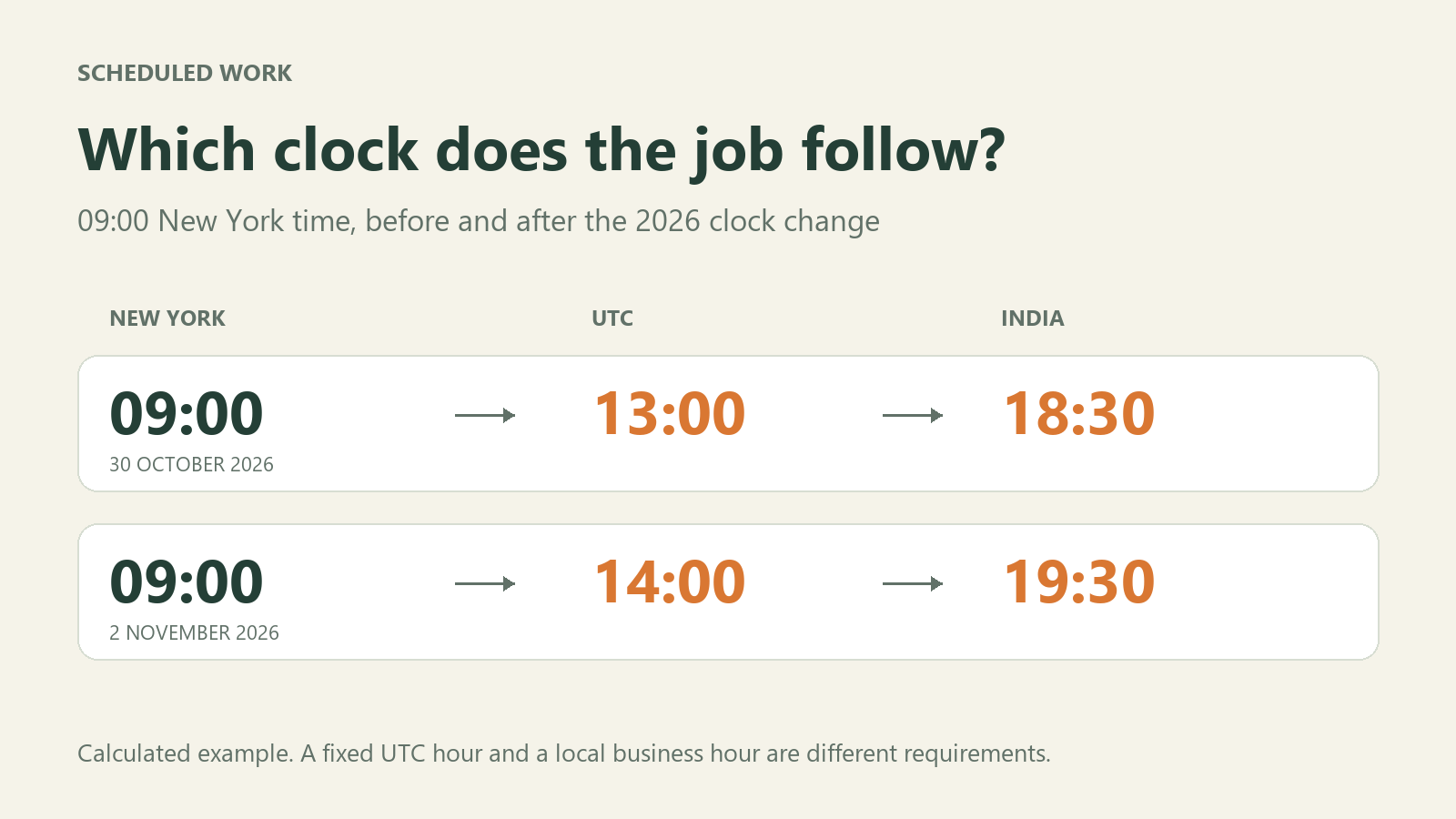
Consider this illustrative comparison. These are calculated times, not records of a real job:
| Date in 2026 | Equivalent of 09:00 in New York |
|---|---|
| 30 October | 13:00 UTC; 18:30 in India |
| 2 November | 14:00 UTC; 19:30 in India |
A job that stayed at 13:00 UTC would instead correspond to 08:00 in New York on 2 November. Neither schedule is inherently wrong. The owner must decide whether the requirement is a fixed UTC time or a local business hour.
An elapsed interval is a third requirement. “Every 24 hours” is different from “every day at 09:00” in a place where clocks change. For example, EventBridge Scheduler documents a rate-based day as a 24-hour duration, separately from its calendar-based cron schedules.
Check the scheduler's time-zone and transition rules
Cron is a common notation for recurring schedules. The expression alone does not tell a reviewer which time zone the scheduler uses, or how it handles a local time that disappears or occurs twice during a clock change.
Google Cloud Scheduler's time-zone documentation says it uses wall-clock time and warns about execution anomalies around daylight-saving transitions. It recommends UTC to avoid those daylight-saving effects.
Amazon EventBridge Scheduler documents a specific policy for its cron schedules: a nonexistent spring-forward time is skipped, and a repeated autumn time produces one scheduled invocation. These are product-specific rules. Do not assume that a VPS cron daemon, an application scheduler and a cloud scheduler all behave identically.
Ask your developer which component actually schedules the work and which time-zone setting it reads.
Keep duplicate protection separate from the time-zone decision
Choosing UTC does not establish that work will execute exactly once. Google Cloud Scheduler's overview explicitly describes at-least-once delivery and the possibility of repeated execution for one scheduled event.
For a report or export, define how the application identifies work already completed. Developers often call this idempotency: repeating a request should not produce an unwanted duplicate effect. Also decide how to handle a missed or late run before manually replaying it.
Leave a short schedule handover
For each important job, record:
- Purpose and timing intent: for example, a report due at 09:00 New York time, or an export every 24 hours.
- Scheduler and configured zone: the actual service or application, with its named zone or UTC setting.
- Expected occurrences: the next few scheduled times, shown in UTC and the customer's zone, including dates around the next clock change.
- Exceptional runs: the documented skipped/repeated-time policy, retry behavior and duplicate protection.
- Completion and ownership: where successful completion is recorded, when a late result should alert someone, and who investigates.
Compare those expectations with the scheduler's preview and execution history. If a change is needed, check for an overlapping or already queued run before enabling a replacement schedule.
For website owners, a useful request to send your developer is: “Please confirm which clock this job follows, show its next scheduled times, and explain what happens if it is late or repeated.” That is a clearer requirement than “run it daily.”